

Best overall: neutral gray. Best for matching a white website layout: white. Best for showing your work: a real workplace. The best backgrounds for professional headshots in 2026 keep your face clear, complement your clothing, and fit the place your photograph will appear.
TL;DR
- Neutral gray leads the best backgrounds for professional headshots because it keeps attention on your face without adding context.
- Choose white for white-page layouts, charcoal for a darker portrait, and a workplace when your surroundings explain your role.
- Creativewillsphoto offers professional headshots for individuals and businesses in Rochester, Minnesota, and across Southeast Minnesota.
- Check every background in a small profile crop before choosing your final photograph.
Why this matters
Your headshot has a job. It needs to introduce you on a company page, beside a speaking biography, or inside a small profile circle. A background that works in a wide portrait can become distracting when only your face and shoulders remain.
Creativewillsphoto is a fit for individuals and businesses seeking professional headshots in Rochester and across Southeast Minnesota. Start with the intended use when discussing your portrait with Creativewillsphoto, then choose the setting—not the other way around.
What makes the best background for professional headshots?
For your 2026 headshot, judge the background against these criteria before choosing a color or location:
- Face separation: Your hair, shoulders, and clothing should remain distinct from the background.
- Visual quiet: Look for distracting edges, bright patches, lettering, and objects behind your head.
- Useful context: Include surroundings only when they tell the viewer something relevant about your work.
- Crop flexibility: Check whether the picture still works as a square, a circle, and a wider biography image.
- Team consistency: If the photograph joins a staff page, decide how closely it needs to match existing portraits.
- Clothing compatibility: Choose your background and outfit together, rather than treating them as separate decisions.
Professional headshot backgrounds at a glance
| Rank | Background | Best for | Standout feature | Key limitation | |---|---|---|---|---| | 1 | Neutral gray | A versatile individual headshot | Quiet background without a bright white field | Can feel anonymous when your workplace matters | | 2 | White | White-page website layouts | A clean, light backdrop | Requires care around pale clothing and hair edges | | 3 | Charcoal | A darker editorial portrait | Strong separation with lighter clothing | Dark hair and jackets need deliberate lighting | | 4 | Real workplace | Showing professional context | Places you inside your working environment | Signs, screens, and furniture can compete with you | | 5 | Soft greenery | An outdoor portrait without buildings | Organic color and texture | Weather, seasonal changes, and bright foliage affect the result | | 6 | Simple architectural wall | An outdoor portrait with structure | Lines and texture without a full workplace scene | Seams, patterns, and perspective can distract |
The ranking favors a headshot that works without explanation. The lower-ranked choices are not worse photographs; they answer narrower briefs. Choose context deliberately, rather than accepting whatever happens to be behind you.
1. Neutral gray: best professional headshot background for versatility
Neutral gray is the default recommendation when your portrait must work in several places. It gives your face a quiet setting without the brightness of white or the visual weight of charcoal. It also leaves the photograph relatively independent of a particular office or season.
Gray is not one fixed appearance. A pale gray portrait feels different from a darker gray portrait, so ask to see the background with your actual outfit and lighting rather than choosing from a swatch alone.
Neutral gray pros:
- Keeps scenery and objects out of the composition.
- Offers a middle ground between white and dark backdrops.
- Suits a portrait intended for several professional uses.
Neutral gray cons:
- Does not communicate where or how you work.
- Similar gray clothing can reduce shoulder separation.
Best for: An individual who needs one main professional portrait rather than a setting-specific image.
Verdict: Choose neutral gray when you want the most adaptable starting point.
2. White: best professional headshot background for white-page layouts
White is a useful choice when the finished photograph needs to sit against a white website or document. It keeps the composition spare. The important distinction is whether you need a visibly white backdrop or an image prepared to blend into a specific page.
Share the intended layout before the session. A photograph that looks white on its own can reveal a different tone when placed beside the page background, and a clean edge depends on careful capture and finishing.
White background pros:
- Removes environmental detail from the portrait.
- Fits a light, minimal presentation.
- Provides contrast with darker clothing.
White background cons:
- Pale jackets and shirts need clear edges.
- Matching a page requires checking the actual delivered image.
Best for: A headshot destined for a white-page team directory, biography, or presentation.
Verdict: Choose white for a defined layout requirement, not because it is automatically more professional.
3. Charcoal: best professional headshot background for editorial depth
Charcoal gives the portrait a darker field and puts more emphasis on the lit face. Choose it when you want a considered, editorial image rather than a bright directory photograph. Expression and posture still determine whether the result feels approachable.
The main challenge is separation. Dark hair, a dark jacket, and a dark background can merge if the lighting does not distinguish them. Judge the finished portrait by the visible outline of your head and shoulders, not just the expression.
Charcoal background pros:
- Keeps attention away from scenery.
- Creates contrast with lighter clothing.
- Supports a darker visual treatment without using a workplace.
Charcoal background cons:
- Dark clothing and hair require deliberate separation.
- Can look inconsistent beside an existing light-background team gallery.
Best for: A darker biography portrait where the image does not need to match a bright staff directory.
Verdict: Choose charcoal when the darker treatment fits the destination and your features remain distinct.
4. Real workplace: best headshot background for professional context
A workplace portrait connects your face with your surroundings. A studio, office, workshop, or other relevant setting can explain something that a plain background cannot. The setting earns its place only when that information helps the viewer.
Choose the camera angle before tidying the whole room. What matters is what appears behind your head and shoulders. Remove private documents, readable screens, distracting signs, and objects that seem to grow out of your silhouette.
Real workplace pros:
- Shows a connection between you and your work.
- Gives a wider biography image relevant surroundings.
- Makes the setting part of the portrait's story.
Real workplace cons:
- Visible information creates privacy concerns.
- Changes to the workplace can make future matching portraits harder.
Best for: A professional whose working environment adds useful meaning to the photograph.
Verdict: Choose a real workplace when the setting explains your role; skip it when it only adds clutter.
5. Soft greenery: best headshot background for an outdoor setting
Soft greenery gives you an outdoor portrait without making a building or street the subject. Leaves and distant trees can become a quiet field of color when the framing and focus keep them secondary. Look for an even background, not simply the prettiest location.
Bright gaps between leaves deserve particular attention. A small patch of sky beside your face can pull attention away from your expression. Check the background from the camera position, because a short change in angle can alter what appears behind you.
Soft greenery pros:
- Brings organic color into the portrait.
- Avoids recognizable office furnishings.
- Offers an outdoor alternative to architectural lines.
Soft greenery cons:
- Weather and seasonal changes affect consistency.
- Bright leaves and sky patches can distract.
Best for: Someone who wants an outdoor portrait without a strong urban or workplace identity.
Verdict: Choose greenery when it stays quiet behind your face and outdoor conditions suit the session.
6. Simple architectural wall: best headshot background for outdoor structure
A restrained wall offers an outdoor setting with less visual information than a full street scene. Plain masonry, a simple painted surface, or a subdued building facade can supply structure without making the photograph about a specific business.
Inspect the frame for lines behind your head. Mortar joints, door frames, stains, and strong changes in color become more noticeable once the portrait is cropped tightly. Your distance from the wall and the camera angle both affect how prominent those details appear.
Architectural wall pros:
- Adds a sense of place without showing an entire street.
- Offers texture beyond a plain backdrop.
- Can support both tight and wider compositions.
Architectural wall cons:
- Strong patterns compete with facial features.
- Outdoor light and access require planning.
Best for: An outdoor portrait that needs structure rather than foliage.
Verdict: Choose a simple wall when its lines support the portrait instead of cutting through it.
Check the background in its final crop
Before approving your 2026 headshot, review 3 formats: square crop, circle crop, and wide crop. These are practical checks, not delivery specifications. Each reveals a different problem that a full-size preview can hide.
- Square crop: Check whether your shoulders remain balanced and background objects become prominent.
- Circle crop: Check the space around your hair and whether the circular edge cuts awkwardly into your head.
- Wide crop: Check whether the extra surroundings add useful context or expose clutter.
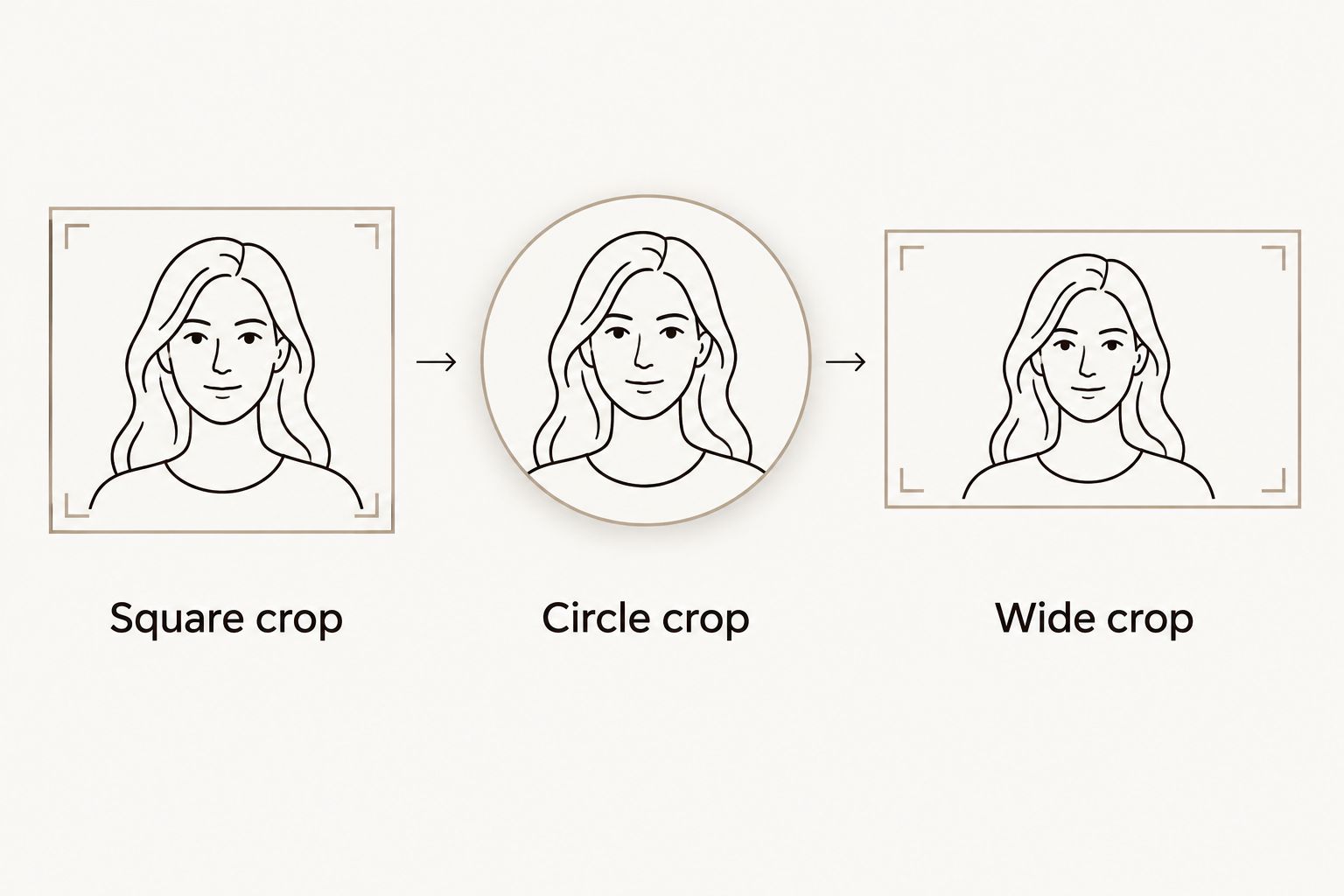
Check the background in the shapes your headshot will actually use.
Also inspect a preview at 150 pixels wide. This is a useful review size, not a platform requirement. If the background is the first thing you notice at that size, simplify the composition or choose another frame.
Match your clothing to the background
Bring 2 tops with visibly different tones if you want to compare outfit-background combinations. A light option and a dark option make the difference easier to see. You do not need an entirely different wardrobe for every setting.
Check separation at the shoulders and neckline. A gray jacket against gray does not automatically fail, and a white shirt against white does not automatically work; the lighting and visible edges decide the result.
For a team update in 2026, agree on the background before each person chooses clothing. Otherwise, individually pleasing portraits can look unrelated when placed together. Share examples of the existing staff page and identify what needs to stay consistent.
How these backgrounds are ranked
This 2026 ranking prioritizes face separation, visual quiet, and usefulness across different crops. Neutral gray takes the default position because it adds little contextual information. White and charcoal answer specific presentation needs, while workplaces and outdoor settings trade simplicity for context.
The ranking is a selection guide, not a report of measured performance. A carefully composed environmental portrait is a better choice than a plain backdrop that conflicts with your intended use.
Which headshot background should you choose?
Choose neutral gray if you are undecided. Move to white when the destination calls for a light background, or charcoal when you want a darker portrait. Choose a workplace, greenery, or architecture only when the setting contributes something you want the viewer to notice.
For Creativewillsphoto professional headshots, bring the destination into the conversation: your company page, professional profile, speaker biography, or business materials. A clear brief makes the background decision more useful than a favorite color alone.
Discuss your headshot direction
Share where your portrait will appear and the background style you want to explore.
FAQ
What's the best background for a professional headshot?
Neutral gray is the best default for a versatile professional headshot. It keeps the setting quiet without requiring a bright white or dark presentation.
Is white or gray better for a professional headshot?
Gray is the more flexible default; white is the more specific choice for a white-page layout. Check the finished image against its destination before deciding.
Can I use an outdoor background for my professional headshot?
Yes, an outdoor background works when the scenery stays secondary to your face. Look for quiet foliage or simple architecture, and check for bright patches and distracting lines.
Should everyone on a company team have the same background?
Use the same background direction when a consistent team gallery is the goal. Also coordinate framing, lighting, and clothing guidance so the portraits belong together.
Is a blurred office background better than a plain backdrop?
A blurred office background is better when the workplace adds relevant context. A plain backdrop is better when you want the photograph to remain independent of a particular setting.
What should I wear against a dark headshot background?
Choose clothing that remains visibly separate from the dark background under the session lighting. Check your shoulders and hair edges rather than relying on color alone.
Where can I discuss professional headshots in Rochester, Minnesota?
Creativewillsphoto offers professional headshots for individuals and businesses in Rochester and across Southeast Minnesota. Share the intended use of your portrait and the background direction you want to discuss.
One last thing
Before replacing a headshot in 2026, save a screenshot of the page where it will live. Bring that view alongside your favorite portrait references. The best background is not always the one you prefer in isolation—it is the one that lets your face belong in the finished layout.